Coffee label maker for roasters and cafés
Design bag labels that make a kraft pouch read like a specialty shelf. Tall formats, tidy type for origin and tasting notes, and roast dates merged straight from your roast log.
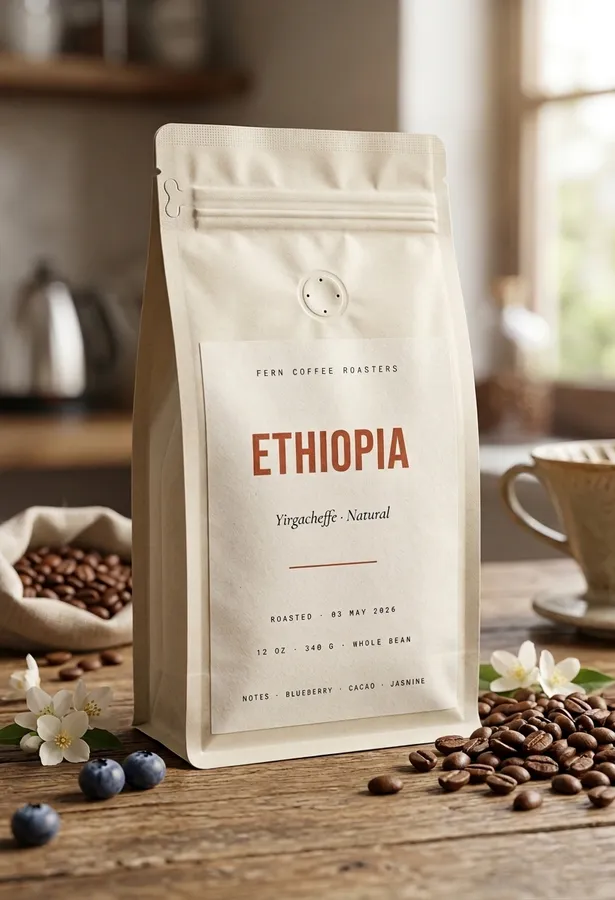
Roast dates without retyping
Merge roast dates, lot numbers, and origins from a spreadsheet across a whole sheet, so every wholesale order carries the right date.
Tall labels for tall bags
Design at the exact face of your pouch, from a 4 oz sampler sticker to a full-height 12 oz bag panel, in millimeters or inches.
Browns that stay espresso, not mud
Warm creams and coffee browns shift easily in print. Every color shows its CMYK mix and nearest printable ink before paper is wasted.
Templates made for coffee
Origin-forward layouts with room for process, region, and tasting notes, fully editable in the browser.
Templates to start from
Open one in the editor and change the text, colors, and size, or start from a blank canvas.
Label sheets that fit
Standard die-cut sheets sized for coffee labels. Each opens with the layout pre-set.
Frequently asked questions
What size label fits a coffee bag?
A common front label on a 12 oz stand-up pouch is 3 to 4 inches wide; 2 × 4 inch labels suit smaller bags and top seals. Measure the flat face of your pouch, design at that exact size, and print at 1:1.
What should a coffee label include?
Retail coffee usually shows the roastery name, origin or blend name, net weight, and roast level; specialty buyers also expect process and tasting notes. If you sell packaged coffee, check your local food labeling rules for the required business and weight declarations, then add that text as its own layer.
Can I print a different roast date on every label?
Yes. Mail merge pulls roast dates and lot numbers from a CSV, and sequential numbering handles batch codes. One export fills the whole sheet.
What paper should I print coffee labels on?
Matte sticker sheets look right on kraft pouches; weatherproof vinyl holds up to cold-chain condensation. Export a print-ready PDF and print at Actual Size.
More label makers
Design your label, export a print-ready PDF.
Free to start. No install, no account needed.
Start designing free